QuickBooks Online · Xero · Spreadsheet Upload → Ultratax CS
Bring back the 5‑minute tax return.
Stop re-keying trial balance data by hand. AccountantSync pulls your client’s numbers from QBO, maps them to Ultratax tax codes, and formats the import — so you can move on to the next return.
No credit card required · Free for your first 2 clients
Connecting the platforms you already rely on
 QuickBooks Online
 Ultratax CS
The problem
Every tax season, the same grind.
- Your client’s books are finalized in QBO
- You need that data in Ultratax to prepare the return
- So you manually copy trial balance numbers, line by line
- You double-check everything because one wrong entry means rework, delays, or worse — a filing error
- Multiply that by every client, every year
The fix
Connect once. Map once. Import in seconds.
AccountantSync connects to your client’s QBO, pulls the trial balance, lets you map each account to the right Ultratax tax code, and generates a clean import file. Your mappings carry over year to year — so next season is even faster.
How it works
Three steps. That’s it.
Connect
Link your client’s QBO account with one OAuth sign-in. No API keys, no CSV exports.
Map
Assign each QBO account to the right Ultratax tax code. Mappings save for next year.
Import
Export a formatted file and import into Ultratax CS. Done in seconds, not hours.
See it in action
Watch a quick walkthrough
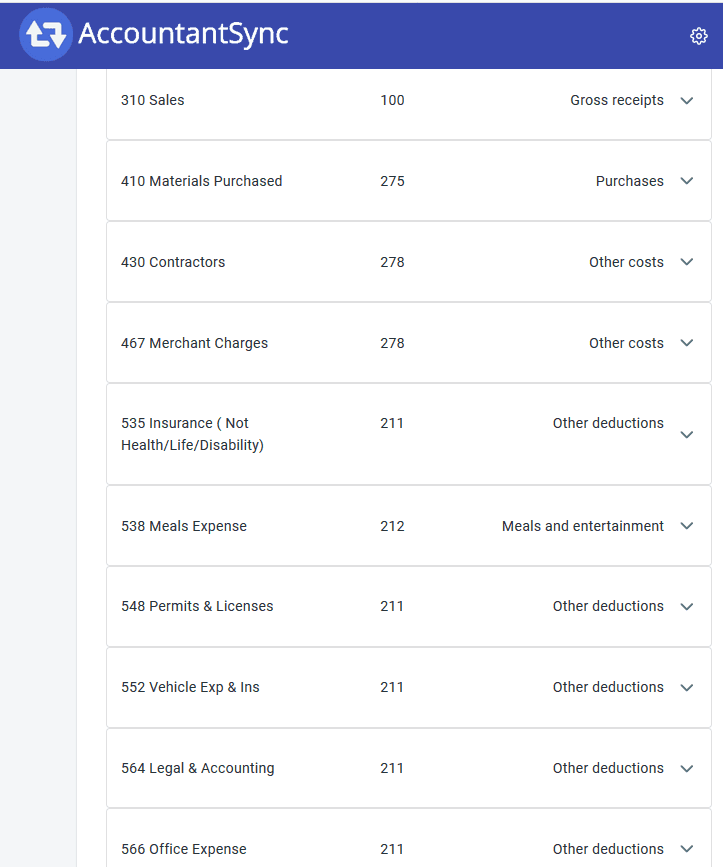
Smart Mapping
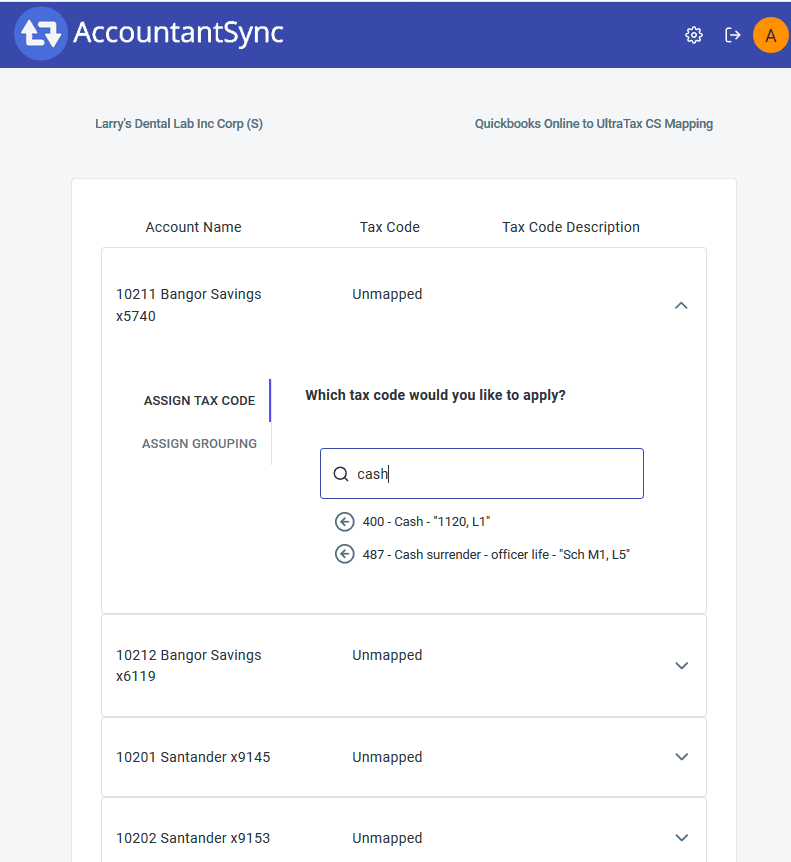
Map accounts to tax codes visually.
Your client’s QBO chart of accounts on one side, Ultratax tax codes on the other. Assign each account, and you’re done. Mappings save so you don’t start over next year.
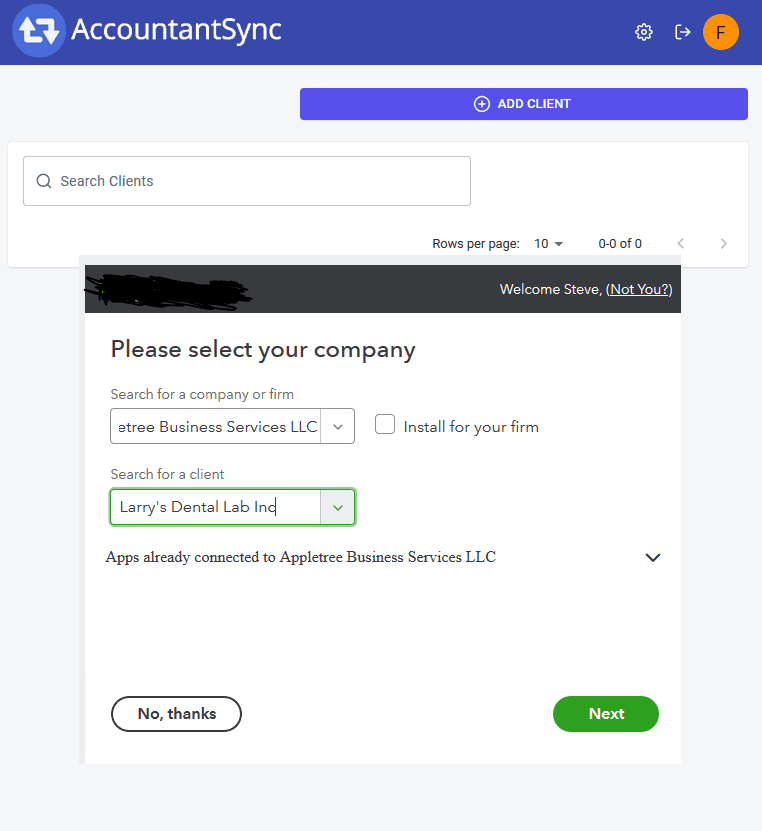
One-Click Connection
Add clients in seconds.
Connect your client’s QBO with a standard OAuth login. No API keys, no CSV exports, no IT department required.
Clean Export
A file Ultratax actually accepts.
AccountantSync formats the export to Ultratax’s exact specification. No manual reformatting, no import errors.
Why we built this
Built by accountants, for accountants.
We’ve sat in your chair. We know what it’s like to spend hours on manual data entry that should take minutes. We built AccountantSync because we were tired of wasting our own staff’s time on a problem that shouldn’t exist.
This isn’t a tool built by engineers who’ve never touched a tax return. It’s built by people who’ve filed thousands.
What accountants are saying
“A great way for us to process all our writeup clients with QBO and directly integrate with our tax software.”

Steven Feinberg, CPA
Owner, Appletree Business Services · Londonderry, NH
“It is working very well! I just sent instructions to all of our accountants on how to use it. I hope they embrace it.”

Shawn Brubaker, CPA
Partner, Gift CPA’s · Mechanicsburg, PA
“The sync was super easy to connect to our QBO file and the mapping was very intuitive. I am looking forward to using this with our remaining returns and think it will save us a ton of time.”

Matthew Patrick, CPA
President, Patrick Accounting · Memphis, TN
“A great way for us to process all our writeup clients with QBO and directly integrate with our tax software.”
Steven Feinberg, CPA
Owner, Appletree Business Services · Londonderry, NH
Stop re-keying. Start importing.
Your first 2 clients are free. See how much time you save this tax season.
No credit card required